JVM Architecture Explained for Beginners
Understand the Java Virtual Machine (JVM) architecture including Class Loader, Memory Areas, Execution Engine, Java Native Interface (JNI), and Native Method Libraries. Perfect for beginners in Java.
Introduction to JVM
The Java Virtual Machine (JVM) is a core part of the Java Runtime Environment (JRE) that allows Java programs to run on any platform. JVM interprets Java bytecode and executes it efficiently.
- Java source (.java) → compiled by javac → bytecode (.class)
- JVM loads the bytecode, verifies it, links it, and executes it
- JVM can interpret bytecode or use JIT compilation for faster execution
- Garbage Collection automatically reclaims memory from unused objects
Components of JVM Architecture
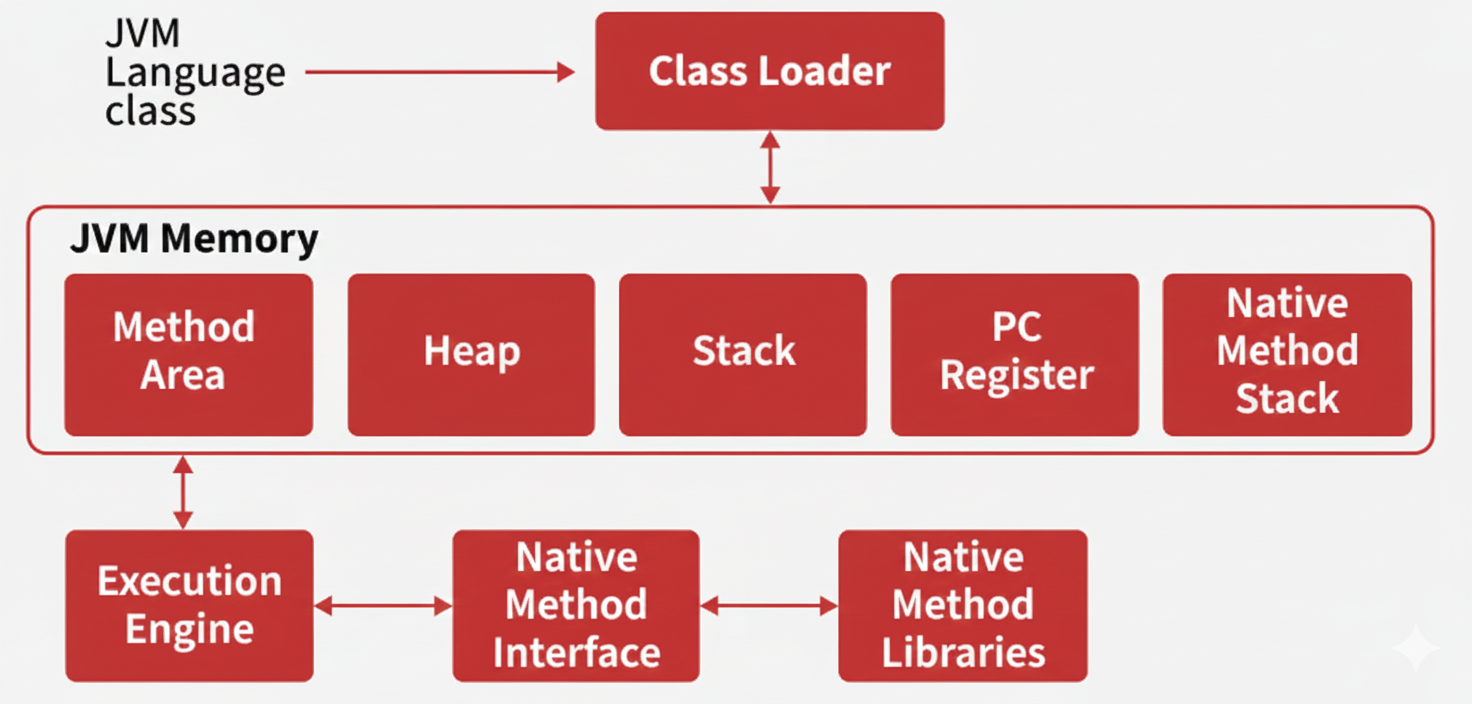
1. Class Loader Subsystem
The class loader subsystem loads, links, and initializes classes in JVM. It has three main steps:
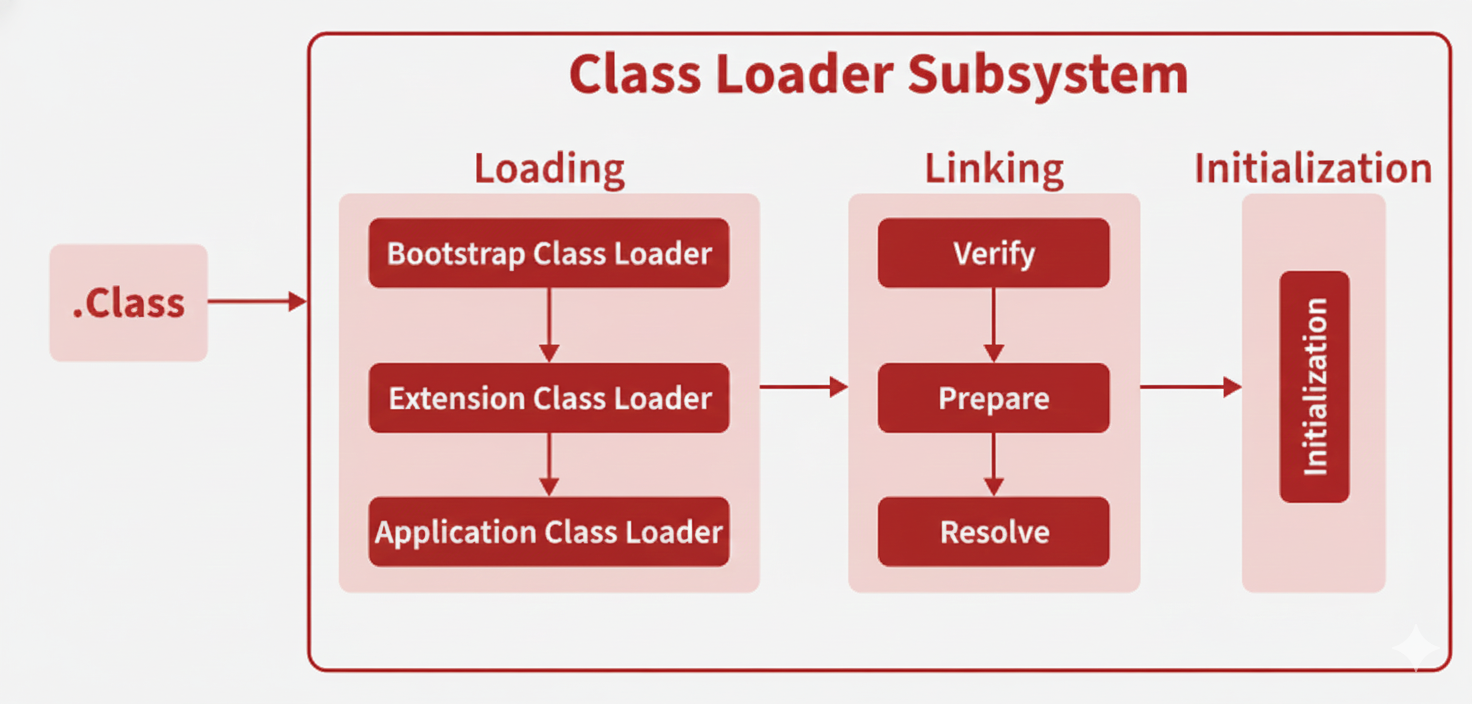
a) Loading
JVM reads the .class file and creates a Class object representing the class structure.
👉 Note: Class object ≠ instance of the class
- Bootstrap Class Loader: Loads core Java classes (java.lang, java.util).
- Extension Class Loader: Loads classes from extensions or additional libraries.
- Application Class Loader: Loads application classes from classpath or JARs.
b) Linking
- Verification: Ensures bytecode correctness and safety.
- Preparation: Allocates memory for static variables with default values.
- Resolution: Converts symbolic references into direct memory references.
c) Initialization
- Assigns actual values to static variables
- Executes static blocks defined in the class
2. JVM Memory Areas
Method Area
Stores class-level information: class names, parent classes, methods, variables, and static data. Shared across all JVM instances.
Heap Area
Stores all objects created during runtime. Shared among threads.
Stack Area
Each thread has its own stack storing method calls and local variables.
Program Counter (PC) Register
Keeps track of the instruction currently executed by the thread.
Native Method Stack
Stores data for methods written in native code (C/C++). Each thread has its own native stack.
3. Execution Engine
Executes bytecode with three main components:
- Interpreter: Reads and executes bytecode line by line.
- JIT Compiler: Converts frequently used bytecode into native machine code for faster execution.
- Garbage Collector: Automatically removes unused objects to free memory.
4. Java Native Interface (JNI)
JNI allows Java code to call native methods written in C/C++ and vice versa.
- Java can call C/C++ functions
- Native code can call Java methods
5. Native Method Libraries
Collections of native libraries required to execute native methods.